Managing Your Subscription
The Account / Billing page provides a centralized location to monitor your subscription status, credit balance, and manage billing details. From here, you can view your current plan, track credit usage, and access the customer portal for subscription management.
Viewing Your Subscription
The Billing page displays two key sections:
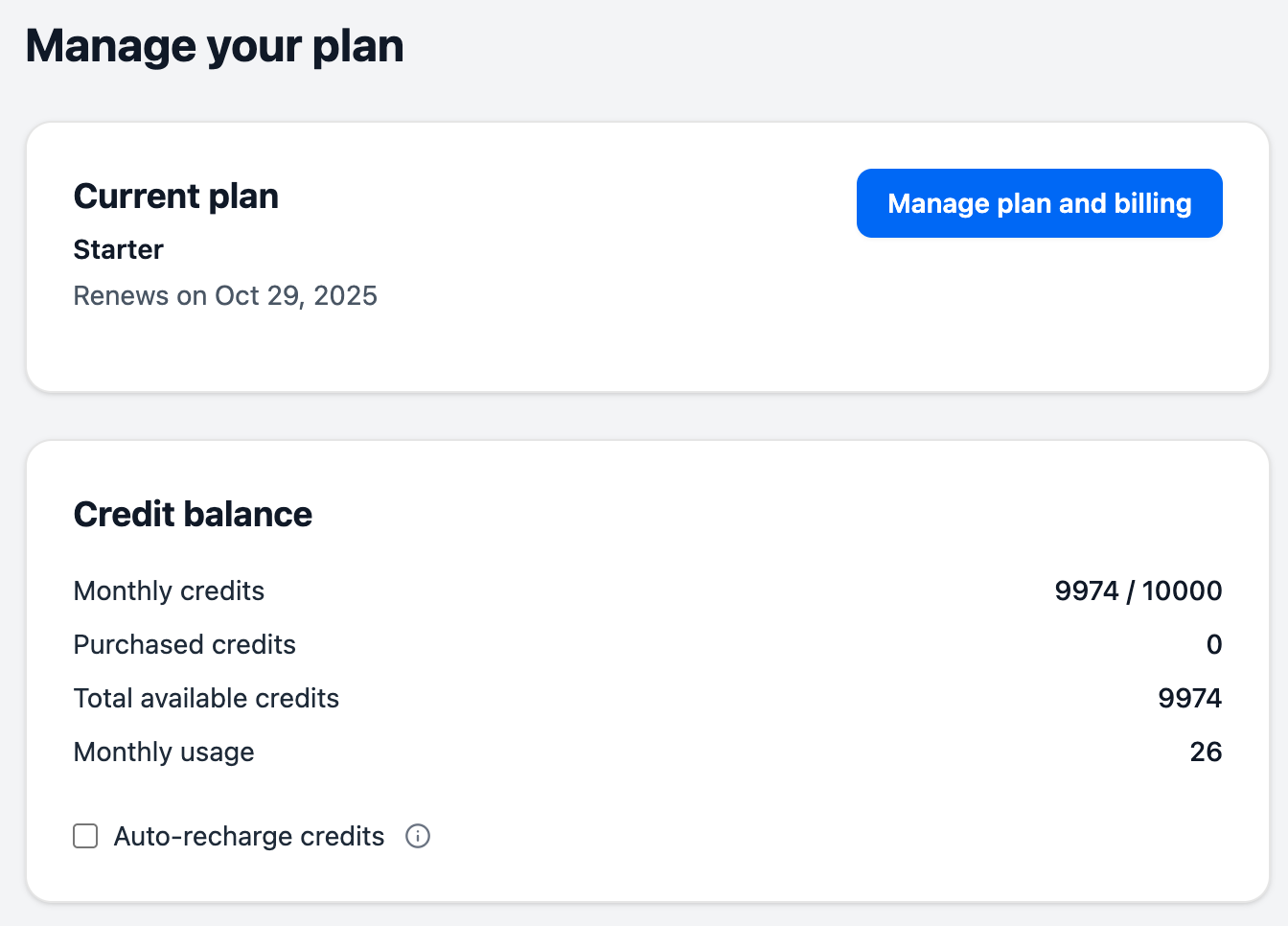
Current Plan
Shows an overview of your active subscription:
- Plan name (Starter or Pro)
- Monthly price
- Next renewal date
This gives you a quick reference for your subscription status without navigating to detailed settings.
Credit Balance
Displays your credit usage and availability:
- Monthly credits (available / monthly limit) - How many credits remain in your current billing cycle
- Purchased credits - Auto-recharge credits available across billing cycles
- Total available credits - Sum of monthly and purchased credits
- Monthly usage - Total credits consumed this billing cycle
For detailed information about how credits work and are consumed, see Understanding Credits.
Managing Your Subscription
To manage your subscription details, billing information, or make changes to your plan, click the Manage plan and billing button. This opens the customer portal where you can access comprehensive subscription management tools.
Customer Portal
The customer portal provides four main sections for managing your account:
Subscriptions
View and manage your current and past subscriptions.
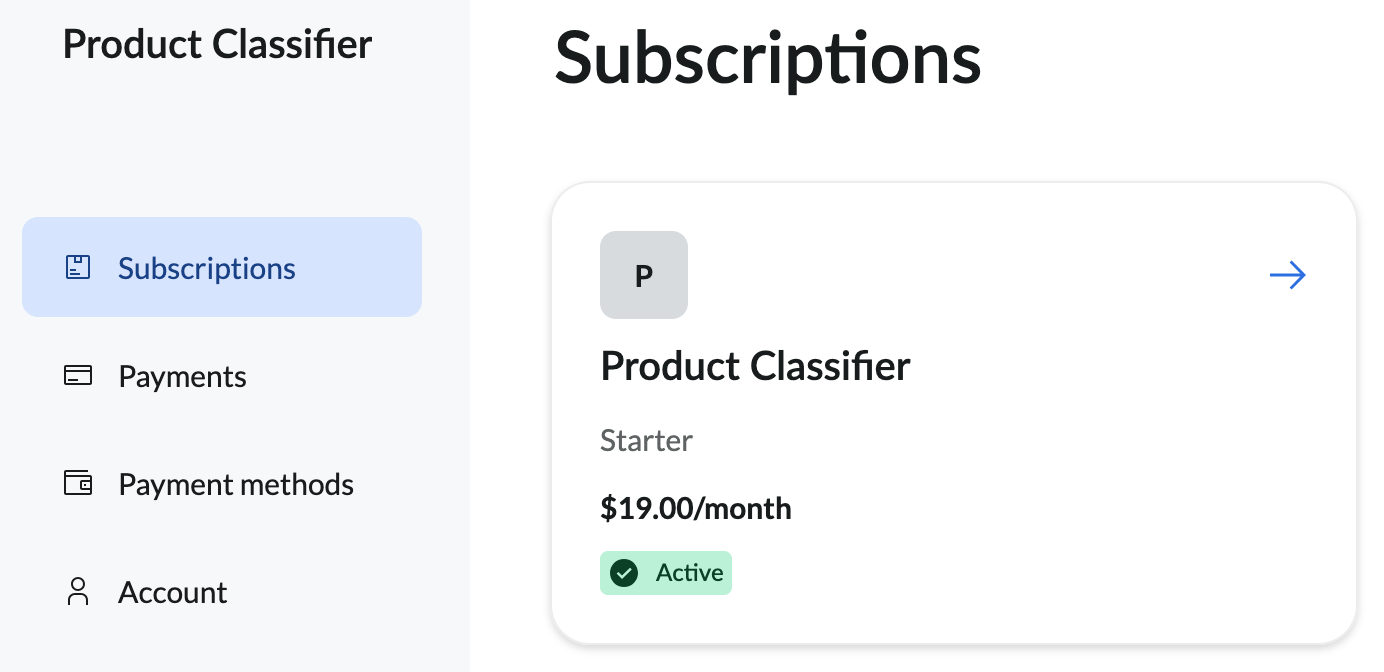
Select any subscription to view its details.
Active Subscriptions
For an active subscription, you can:
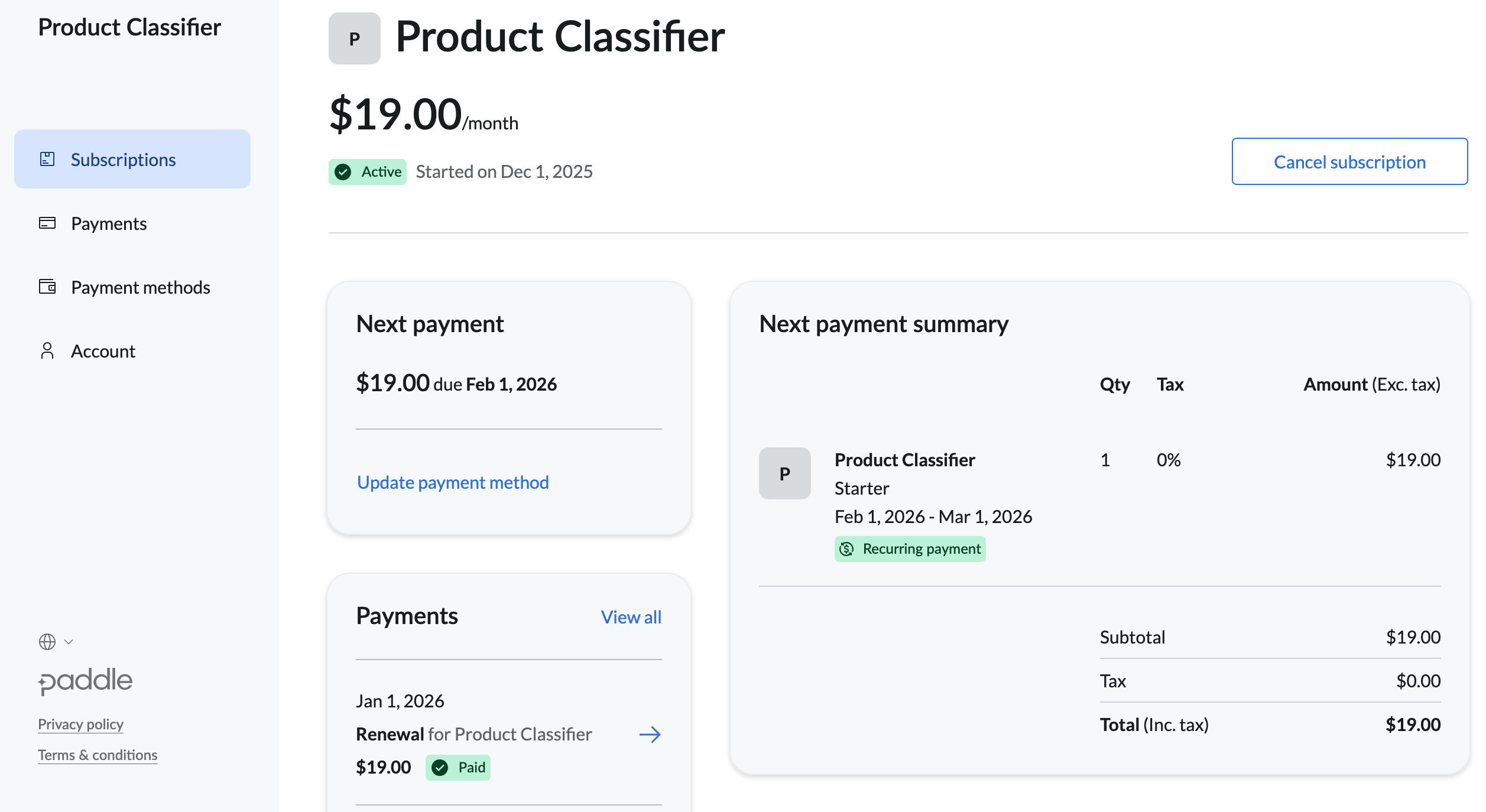
- Update payment method - Change or add credit cards
- View payments - Review transaction history for this subscription
- Update billing data - Modify billing address and company information
- Download invoices - Access PDF invoices for all payments
- Cancel subscription - End your subscription (takes effect at the end of the billing period)
For information about plan features and pricing, see Pricing and Plans Explained.
Canceled Subscriptions
For a canceled subscription, you can:
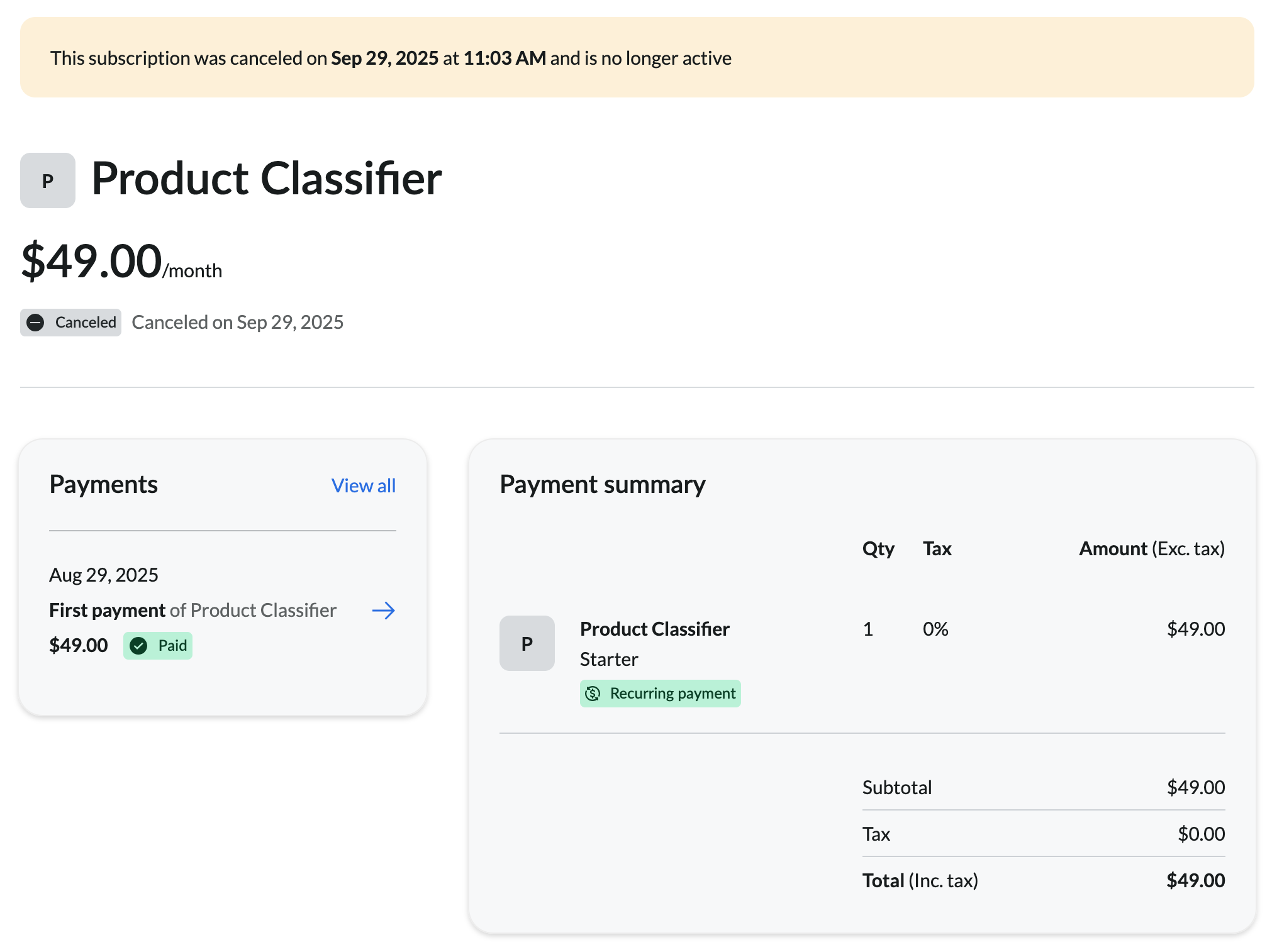
- View payments - Review transaction history
- Update billing data - Modify billing information for past invoices
- Download invoices - Access PDF invoices for previous payments
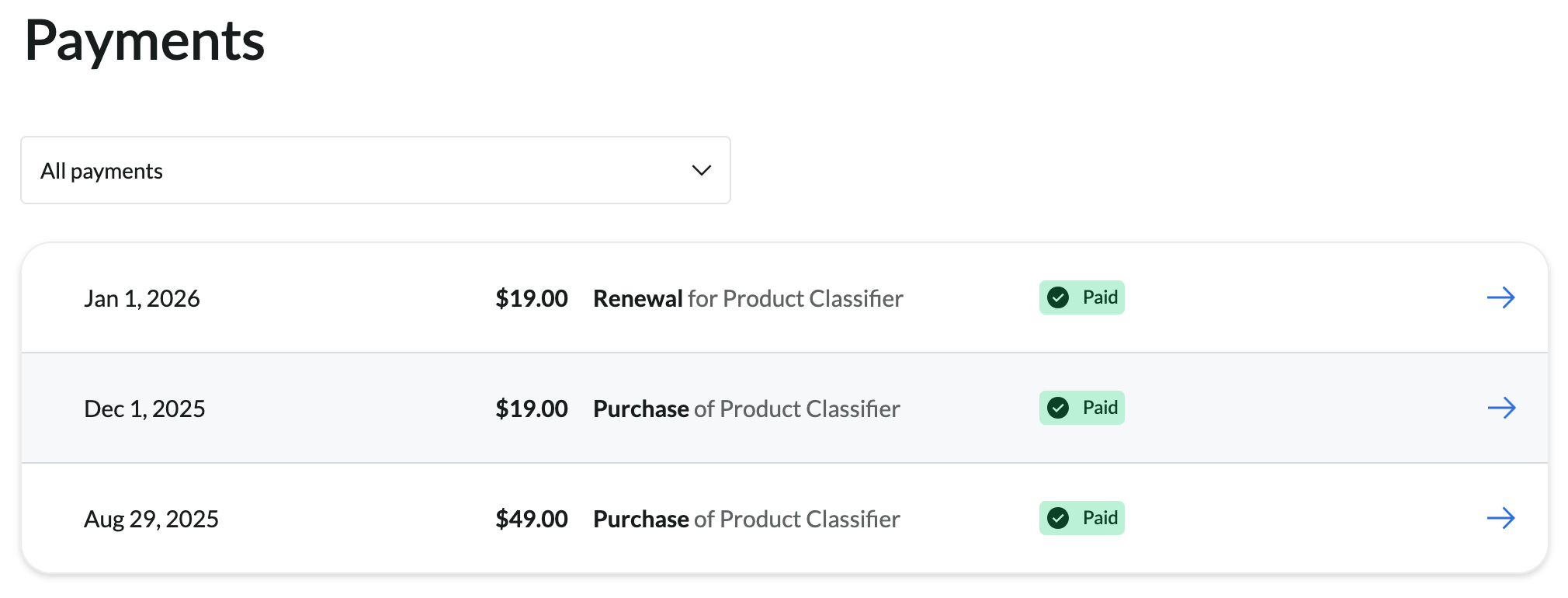
Payments
View all payments ordered by date (most recent first). This provides an alternative view to the transaction history shown in each subscription.
Payment Methods
Manage payment methods saved for future use. This section displays cards you’ve explicitly saved for later payments, regardless of which subscription they’re associated with.
Note: Cards entered during subscription creation are not automatically saved here. Only cards you’ve chosen to save for future use will appear in this list.
Account
View read-only information about your account:
- Customer name
- Email address
This information cannot be modified from the customer portal. Contact support if you need to change your email address.
Next Steps
- Understanding Credits - Learn how credits work and are consumed
- Pricing and Plans Explained - Compare plans and choose the right subscription
- Auto-Recharge Setup - Configure automatic credit purchases to prevent service interruptions
- Rate Limits & Usage Quotas - Understand your plan’s limits beyond credit allocation